.avif)
If you’re considering launching a digital advertising campaign, more than likely you are considering Google Ads. Google Ads remains one of the top advertising platforms and being able to understand the costs associated with entering this arena will be critical to your being able to unlock its full potential.
In this article, I’ll take you through the different factors that influence your Google Ads costs and provide some tools that will help you plan for your company’s campaigns.
Before we dive into the deep end, let’s get super clear on what Google Ads actually is.
Google Ads is an online “paid search” advertising platform that allows businesses to serve ads to people worldwide who are making live inquiries regarding your products and services in their exact moment of intent.
It’s important to know that you don’t pay for a Google Ad when someone is shown an ad, but rather than someone clicks on an ad.
Important Note: Make sure your team is aware that they should NOT click on your company’s own ads. This will charge your business while providing no extra value to it.
So now we know that you don’t pay for when someone is shown an ad (an impression), but rather when someone clicks on an ad. That said, there are MANY things that can impact how much you or your competitor actually pay for these clicks. Below are some of the most prominent examples:
Your keyword selection, which is what you want to show up for when someone is making a selection, is one of the biggest factors of your CPC (cost-per-click). Keywords that have lots of competition will usually come with higher CPCs, while niche or more specific keywords can be more cost-effective.
When you select your keywords, you will be asked what Match Type you would like to use inside of your campaign. Your options are Exact Match, Phrase Match, and Broad Match. Exact Match means you are limited to serving ads only when the search query matches your keyword selection exactly and close misspelled variants. Phrase match finds similar queries, with spelling variants and light variants in supporting words. Broad match finds a much wider range of queries related to your keyword. Exact Match keywords tend to be more expensive, with Broad Match being least expensive. Phrase Match terms typically fall somewhere between Exact and Broad Match, in terms of CPC.
After selecting your keywords and after configuring your Google Ads inside of the platform (assigning ad copy and a landing page URL), Google will assign your ad a Quality Score. The Quality Score is an indicator Google uses to decide how good of an experience it will be for a user to click on your ad. To increase your Quality Score, you want to ensure that the keyword aligns well with your ads copy. You also need to ensure that the landing page a user hits after clicking is HIGHLY relevant to the keyword and ad copy. Higher Quality Scores lead to lower CPCs.
When you launch an advertising campaign, Google will have you select a bid strategy. This is essentially the core goal for your campaign. If you set the bid strategy to Maximize Clicks, for example, this means you simply want Google to get as many clicks as possible for your assigned budget. A Target ROAS, on the other hand, will force Google to work hard to find the correct amount of value associated with your budget. For example, if you have a daily budget of $100 and a Target ROAS of 300% - Google will work to ensure it gets $300 in revenue value that day. Bid strategies that make Google work harder typically come with higher CPCs.
The more restrictions you put on your ad campaigns, the higher your CPCs are likely to be. With that said, campaigns targeting users across the United States will typically garner lower CPCs than campaigns targeting a specific city or state.
Similarly to Geographic Area, campaigns that are restricted to only running during certain parts of the day or week will typically experience higher CPCs than campaigns that can run all day and all week.
Always, always, always use ad extensions when you can! These are free additions to your ads that Google allows you to run that, essentially, give you more digital real estate while not increasing what you pay. In fact, ads that include ad extensions often see lower CPCs than ads without them.
As you can see, there are a lot of things that can impact your campaign’s overall cost-effectiveness. It is important to understand the above factors, as well as how they interact with each other as you make various decisions in-platform.
Now that we know what can impact our CPCs, how are you supposed to know how much to budget for a Google Ads campaign?
If you’re asking yourself the question above, you’re already on the right track! It is important to have a plan when diving into Google Ads - rather than building the campaign without expectations for what you will pay and what results to expect. We call the latter, “Random Acts of Marketing” and it is our mission to ensure you don’t make this mistake.
Using the Google Keyword Planner will help you get started. In order to use the tool, you will have to set up a basic Google Ads account. After getting through that step, you will see 3 options at the top of the Keyword Planner page. Today we’re going to focus on 2: Discover New Keywords and Get Search Volume & Forecasts.
This keyword discovery tool will help you decide which keywords you should be considering for your business. Upon clicking into the tool, you’ll see that you have the option to either select your own starting keywords or starting with your website.
If your website is filled with quality language surrounding what your business does, we recommend starting there. Otherwise, select 3-4 keywords and put them in the “Start with Keywords” space.
After submitting the above info, you will be shown a large list of keywords along with some data supporting them. There are 4 key things we want you to look at here:
Once you’ve combed through the keywords obtained in the steps above, it’s time to put those into the forecasting tool. This will help you get a better idea of what you will actually pay during any given month.
To get started, make sure you are selecting the appropriate bid strategy and match types that you intend to use in your campaign. This selection is made at the top of the page. Also, you’ll want to ensure you have any language targeting, geographic targeting, and date parameters selected - as these will all impact your CPC expectations.
Once you’ve done this, you should see information in the middle of the page showing you what you can expect to get in a given budget range. You can click on the bolded figures to change your daily budget, and see the expected volume of clicks adjust in real-time.
Playing around with this tool will certainly help you get a better grip on what you can expect to receive for your allocated Google Ads budget.
As you can likely tell by now, there is a LOT that goes into the costs of your Google Ads campaigns. Understanding these different variables, and properly planning ahead of time, will ensure that your campaigns are impactful and drive real business results.
If you need further guidance or assistance with your Google Ads campaigns, High Beam Marketing is here to help. We average a ROAS greater than 6x on these types of campaigns and would love to be your guide!
Contact us today to talk through your strategy, and get your business on the winning side of Google Ads.
How do we create ads that cut through the noise? Great ad copy. Creative ad copy is the cornerstone of any great ad campaign.
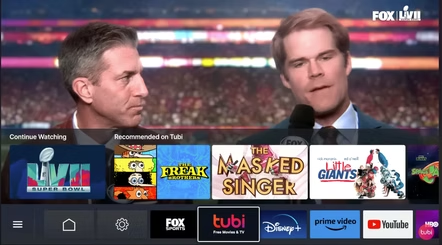
As an advertising agency, like so many of you, we love to watch the ads. There are always winners who got a bargain for the money they spent